Solutions
Discover our solution for time registration, scheduling, and reporting

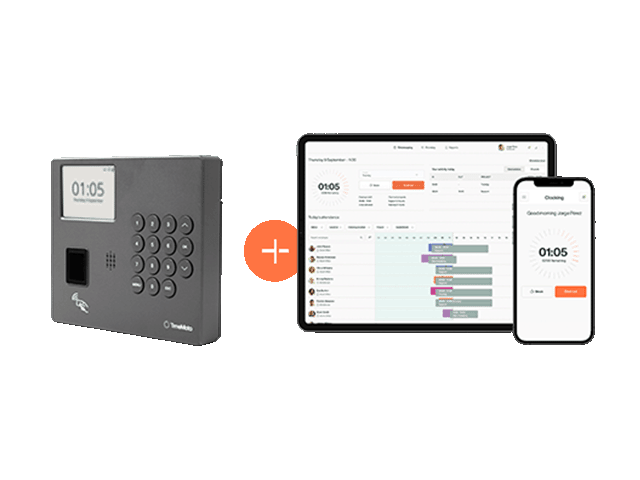
 Time & Attendance
 Planning
 Geolocation
 Reports
 Mobile App
 Project Clocking
Resources
Read our client stories, blog articles, and guides.
Solutions
Discover our solution for time registration, scheduling, and reporting
Resources
Read our client stories, blog articles, and guides.
Hybrid Time Tracking: 3 Setups With an On-Site Time Clock
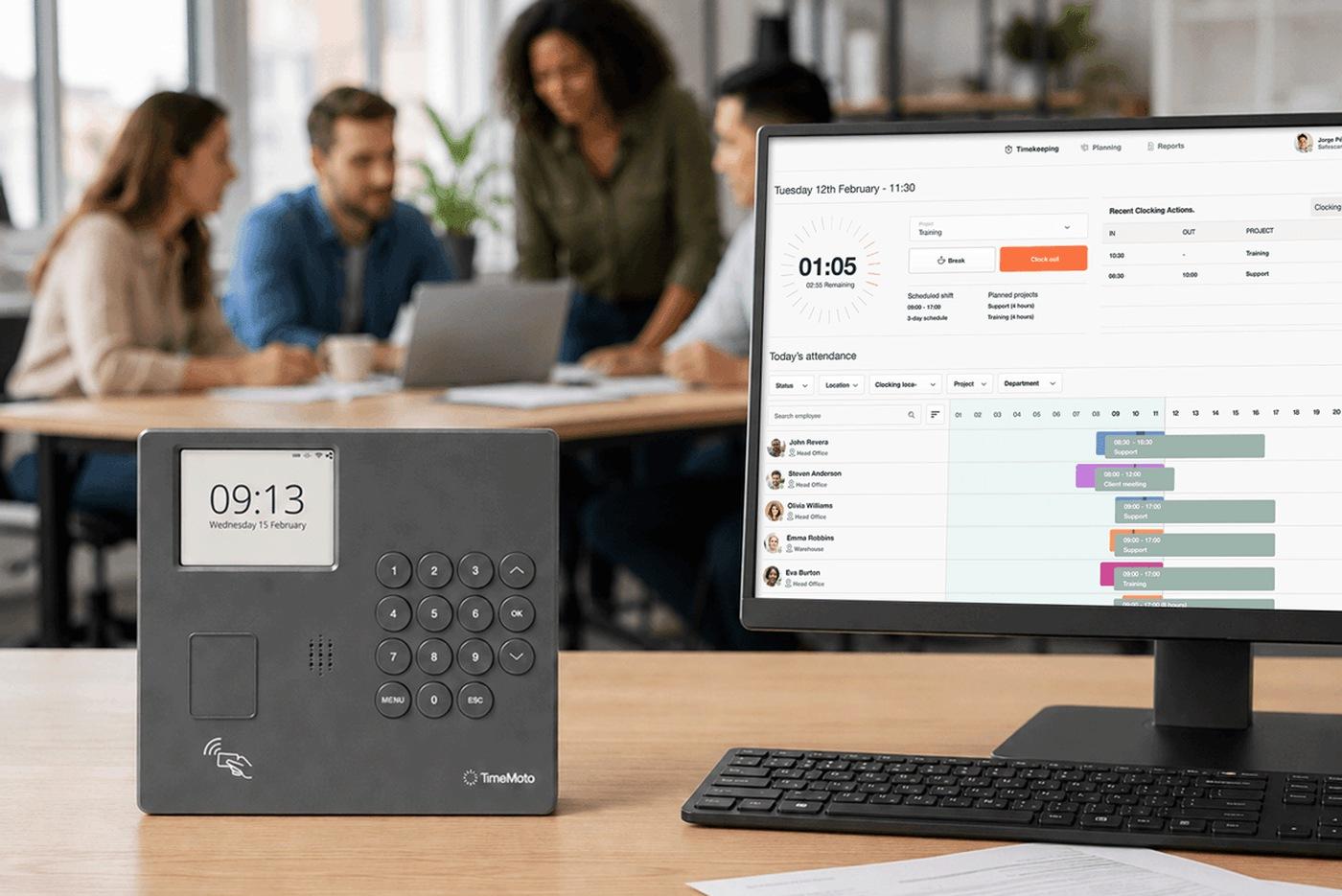
Hybrid time tracking combines an on-site Time Clock with a mobile app and a web service, so employees can track their hours wherever they need to work. Whether you run an office with remote days, a shop or warehouse with a few people off site, or even a company with several locations, each situation shows when an on-site Time Clock, the app or the web service fits best. This article shows how you can build your setup with the new TimeMoto Series 4 Time Clocks.
In many companies, people work in different places during the same week: the office on Tuesday, home on Wednesday, a customer on Friday. Time tracking has to follow them. This is where a hybrid time tracking setup helps out.
What a hybrid time tracking setup looks like
A hybrid setup has four parts:
An on-site Time Clock. Employees clock in and out at the workplace in seconds, with an RFID badge or a PIN, on a TimeMoto Time Clock.
The mobile app and the web service. Employees clock in with the TimeMoto mobile app or the TimeMoto Cloud web service from home, a customer site or anywhere else.
One set of records. TimeMoto Cloud stores schedules, clocking records and reports in one safe place.
One shared view. Employees and employers see attendance, schedules, reports and absence requests in the app and the web service.
Setup 1: an office with remote days
Picture an office team that works from the office a few days a week and from home on the others. On office days, a TimeMoto Series 4 Time Clock at the entrance does the work: employees hold a badge near the reader or enter a PIN. On remote days, they clock in with the app or the web service. Both the on-site Time Clock and the app connect to TimeMoto Cloud, so all clocking actions land in the same record.
For you, that means no merging of office hours and remote hours at the end of the week. You can also see where each person clocked in, if location registration is set up.
Setup 2: a shop or warehouse with a few people off site
Think of a shop or warehouse where most of the team works on the floor, while a few people deliver, install or visit customers. The floor team clocks in at the Time Clock by the entrance, with no phone needed. If the connection drops, the Series 4 Time Clock keeps storing clockings locally and syncs them automatically as soon as the connection is back. The people on the road use the app, and you can set location restrictions (geofencing).
For you, everyone’s hours end up in one record, whether they clock in and out at the entrance or on the road, with more confidence in the clockings from the app.
Setup 3: several locations
Now picture a company with a shop in one town, a warehouse in another and an office somewhere else. Each location gets its own TimeMoto Series 4 Time Clock, all connected to the same TimeMoto Cloud, and employees who move between locations can use the app. They can also use the TimeMoto web service to clock in and out and see their hours. When a new location opens, you add a Time Clock and the users that go with it.
For you, that means one overview across all locations, the same way of clocking everywhere and room to grow, because you can add a location to the same system.
Three basic choices when you set it up
Whichever setup is closest to yours, you will make three choices.
Which Time Clock? The TM—414 works with an RFID badge or a PIN, and the TM—424 adds optional fingerprint authentication, where biometric use is appropriate and permitted. Rules on biometric authentication differ by country, so check what applies to your business. Both support up to 1,000 employees and keep recording when the network goes down. Our guide to choosing the right Time Clock helps you decide.
Which Cloud Plan? Both Time Clocks need a TimeMoto Cloud Plan. Clocking in and out works in every Cloud Plan, schedules come with the Essential and Plus Plans, and absence requests and geofencing come with the Plus Plan. Geofencing applies to clocking in with the mobile app. Compare all Cloud Plans on the Cloud Plans page.
How many Time Clocks? A Time Clock at the entrance of each location is a good starting point, and every Cloud Plan supports unlimited Time Clocks. Browse the Time Clocks and accessories in the TimeMoto shop.
Find out more
Ready to see which setup fits your business? Explore the TimeMoto Series 4 Time Clocks or try TimeMoto Cloud free for 30 days.
Sign up for the TimeMoto newsletter.
Get time on your side again with our newsletter. Sign up now and receive insights about managing your workforce, major trends, news and important product updates. Right in your mailbox.
By signing up you consent to receiving news and promotions via email from TimeMoto B.V. regarding TimeMoto products and services. You have the right to withdraw your consent at any time. For more information, please read our Privacy Statement.